How to Add PostHog Analytics to Astro
This guide shows how to add PostHog analytics to an Astro site, first with the standard script snippet, then with Partytown to move PostHog off the main thread and boost performance (lighthouse score 😁).
If you look at the PostHog Astro library guide, the default setup is to add a script tag to the page.
It works. But it also means one more third-party script running on the main thread, slightly slowing down the page and hurting your Lighthouse score. Which is not exactly what we want after choosing Astro for performance, right?
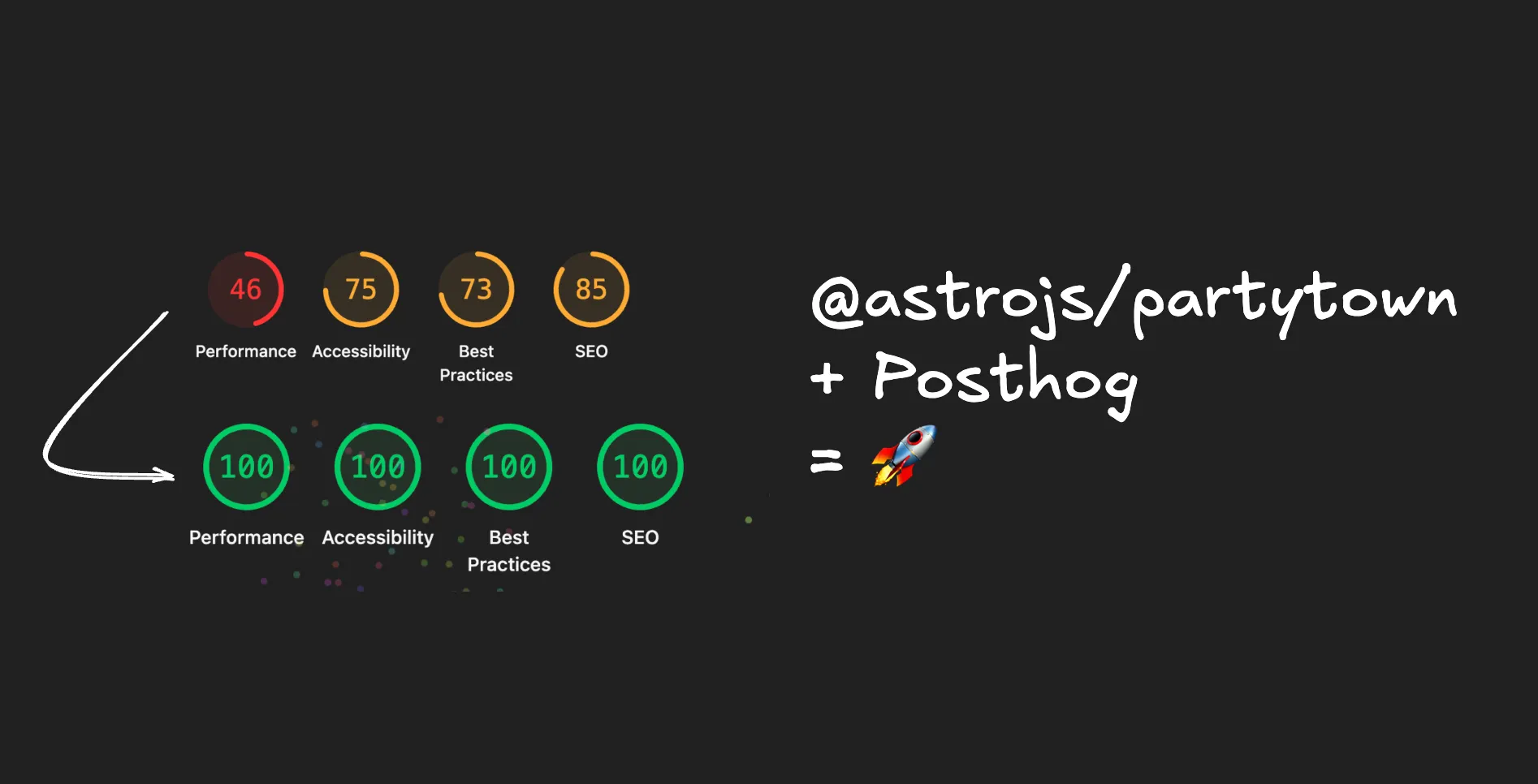
I am going to show the simple way first (basically what the documentation shows), then the better way with only a tiny bit more effort.
Add PostHog to Astro with a Script Tag#
The simple version is to add a PostHog.astro component and render it in your layout.
Environment Variables#
Add these to your .env file:
PUBLIC_POSTHOG_KEY=phc_your_project_key
PUBLIC_POSTHOG_HOST=https://us.i.posthog.com
---
import PostHog from "../components/PostHog.astro";
---
// BaseLayout.astro
<!doctype html>
<html lang="en">
<head>
<PostHog />
</head>Then create the component with the PostHog snippet.
---
// Snippet from https://posthog.com/docs/getting-started/install?tab=snippet
const POSTHOG_KEY = import.meta.env.PUBLIC_POSTHOG_KEY;
const POSTHOG_HOST = import.meta.env.PUBLIC_POSTHOG_HOST || 'https://us.i.posthog.com';
const enabled = import.meta.env.PROD && POSTHOG_KEY;
const posthogScript = `
  if (!window.__posthog_initialized) {
    window.__posthog_initialized = true;
    !function(t,e){var o,n,p,r;e.__SV||(window.posthog=e,e._i=[],e.init=function(i,s,a){function g(t,e){var o=e.split('.');2==o.length&&(t=t[o[0]],e=o[1]),t[e]=function(){t.push([e].concat(Array.prototype.slice.call(arguments,0)))}}(p=t.createElement('script')).type='text/javascript',p.crossOrigin='anonymous',p.async=!0,p.src=s.api_host.replace('.i.posthog.com','-assets.i.posthog.com')+'/static/array.js',(r=t.getElementsByTagName('script')[0]).parentNode.insertBefore(p,r);var u=e;for(void 0!==a?u=e[a]=[]:a='posthog',u.people=u.people||[],u.toString=function(t){var e='posthog';return'posthog'!==a&&(e+='.'+a),t||(e+=' (stub)'),e},u.people.toString=function(){return u.toString(1)+'.people (stub)'},o='init capture register register_once register_for_session unregister unregister_for_session getFeatureFlag getFeatureFlagPayload isFeatureEnabled reloadFeatureFlags updateEarlyAccessFeatureEnrollment getEarlyAccessFeatures on onFeatureFlags onSessionId getSurveys getActiveMatchingSurveys renderSurvey canRenderSurvey getNextSurveyStep identify setPersonProperties group resetGroups setPersonPropertiesForFlags resetPersonPropertiesForFlags setGroupPropertiesForFlags resetGroupPropertiesForFlags reset get_distinct_id getGroups get_session_id get_session_replay_url alias set_config startSessionRecording stopSessionRecording sessionRecordingStarted captureException loadToolbar get_property getSessionProperty createPersonProfile opt_in_capturing opt_out_capturing has_opted_in_capturing has_opted_out_capturing clear_opt_in_out_capturing debug'.split(' '),n=0;n<o.length;n++)g(u,o[n]);e._i.push([i,s,a])},e.__SV=1)}(document,window.posthog||[]);
    posthog.init(${JSON.stringify(POSTHOG_KEY)}, {
      api_host: ${JSON.stringify(POSTHOG_HOST)},
      defaults: '2026-01-30'
    });
  }
`;
---

{enabled && <script is:inline set:html={posthogScript}></script>}
I keep the enabled guard because I usually do not want analytics in local development. I also keep the window.__posthog_initialized guard because it prevents PostHog from being initialized multiple times if you use Astro’s <ClientRouter> component for client-side navigation.
So far this is fine and working great. But we can do a bit better ;)
Why Use Partytown for PostHog?#
Partytown is a lazy-loaded library that helps move resource-intensive third-party scripts into a web worker, away from the main thread.
In plain English: PostHog still runs, but it does not compete as much with the rest of your page rendering. Nice.
Partytown is not always necessary. If you only care about simple pageview tracking and your Lighthouse score is already fine, the regular script may be enough. I reach for Partytown for some extra-optimization.
Add PostHog to Astro with Partytown#
Install the Astro integration:
npx astro add partytownThen make sure your Astro config forwards the PostHog calls you use:
export default defineConfig({
  site,
  integrations: [
    partytown({
      config: {
        forward: [
          'posthog.capture',
          'posthog.identify',
          'posthog.reset',
          'posthog.register',
          'posthog.register_once',
        ],
      },
    }),
  // ...
Finally, add type="text/partytown" to the script rendering your PostHog snippet:
{
  enabled && <script is:inline type="text/partytown" set:html={posthogScript}></script>;
}
That makes sure the PostHog function calls are forwarded to the web worker.
If you have never played with web workers, it is worth checking out the MDN guide to web workers.
And that is it. Pretty simple, but still a bit under-documented currently.